Stock
Stock, batches and expiry
What the Inventory page shows, how batches work, the expiry worklist, stock due back to suppliers, and low-stock alerts.
Inventory
Inventory shows, for the selected store, every medicine with quantity on hand, stock value, nearest expiry and whether it is low or out. Open a row for its batches.
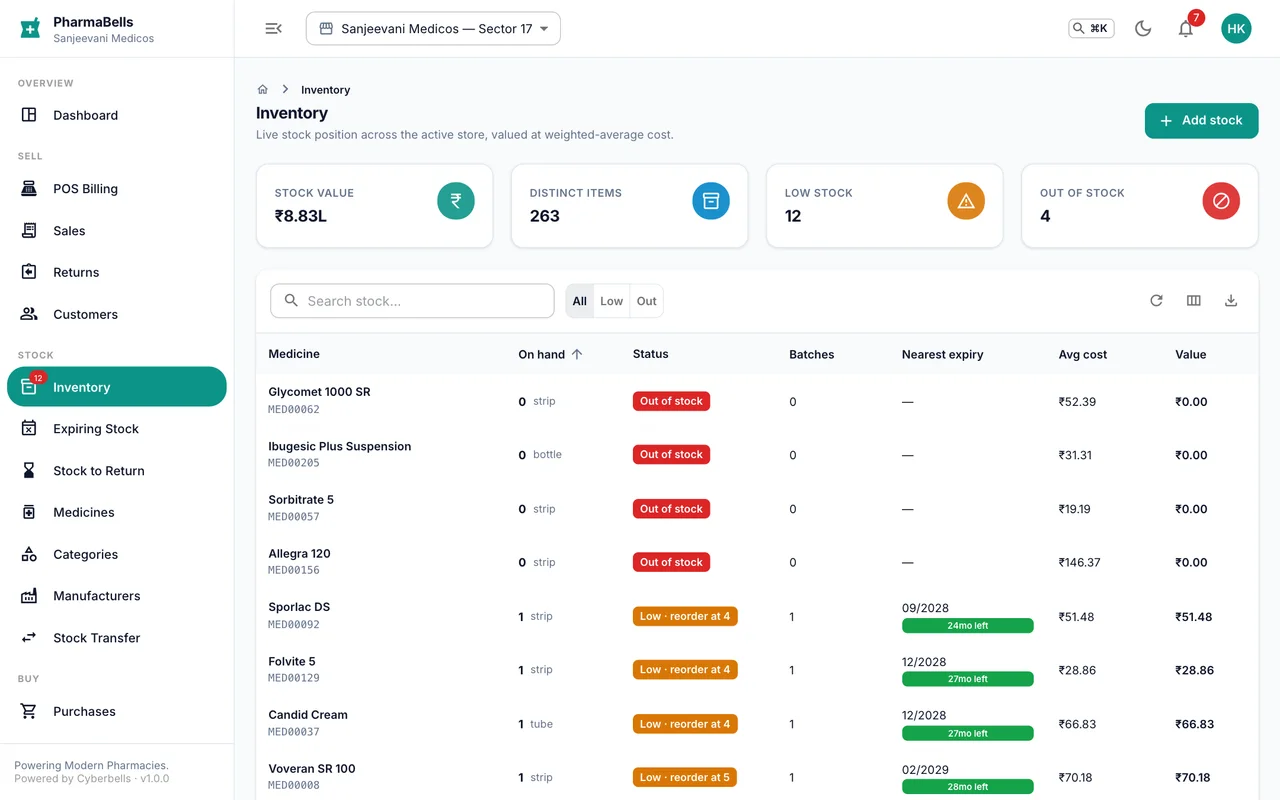
A batch is one lot received from a supplier: batch number, manufacturing and expiry date, purchase price, MRP, quantity received and quantity left. Sales take from the batch nearest expiry first. Every movement in or out is written to the stock ledger with who did it and why.
Expiring stock
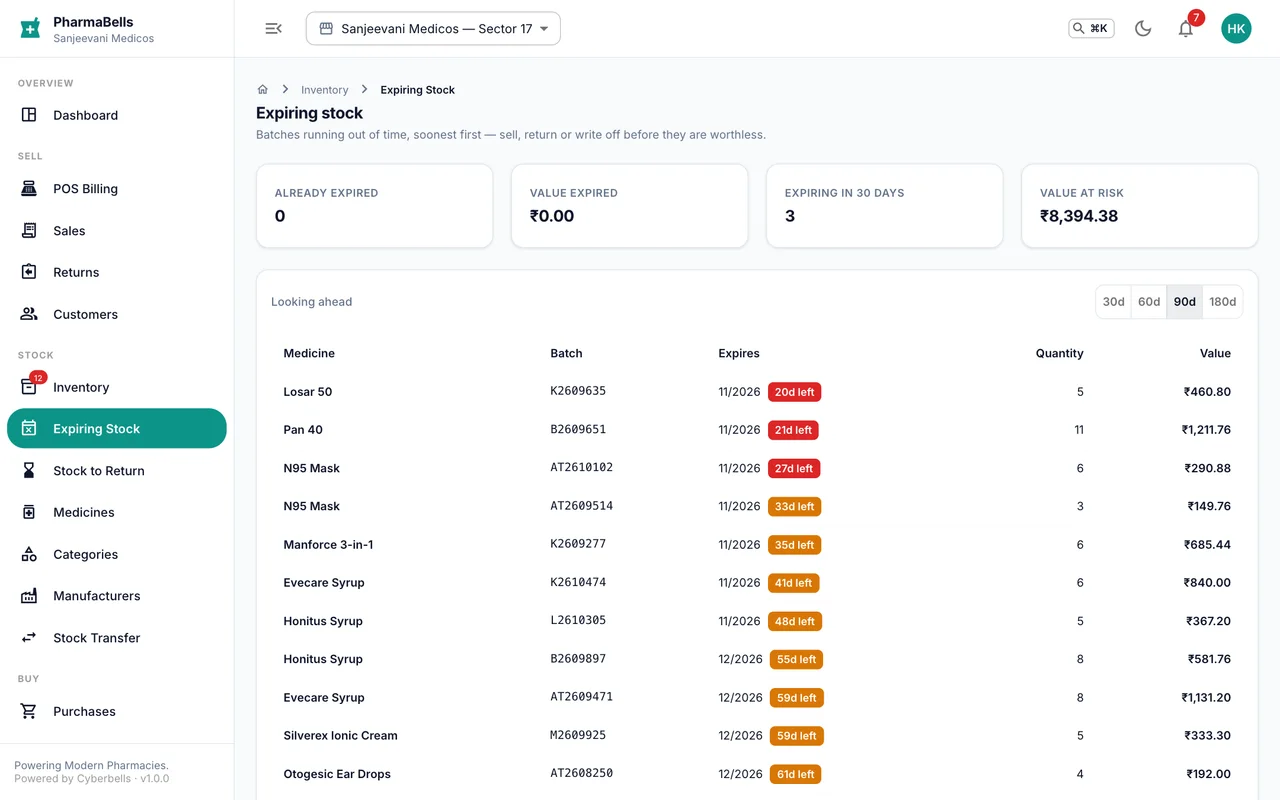
Expiring Stock lists batches that expire within the alert window (Settings → Defaults, usually 90 days), with the value at risk. Use it weekly:
- Move short-dated stock to the front of the shelf or discount it from the batch page.
- Transfer it to a store that sells it faster.
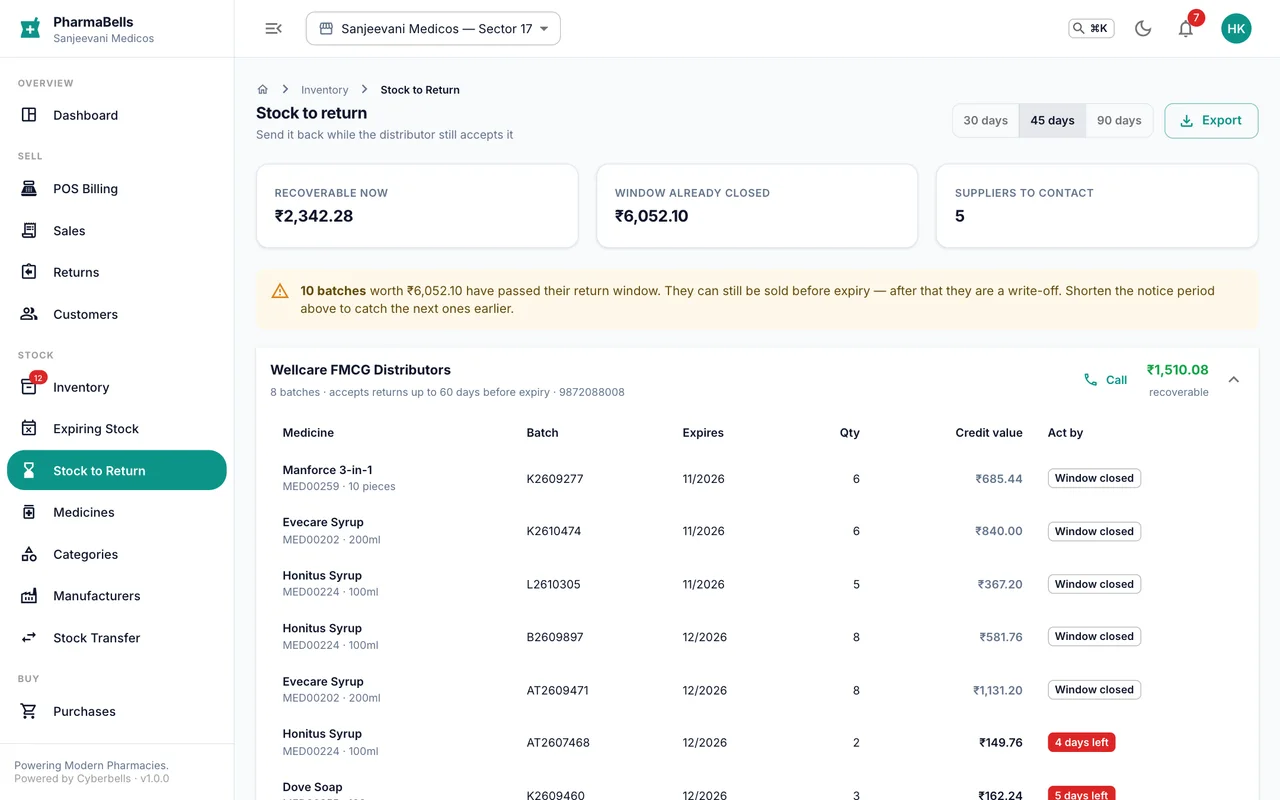
- Return it to the supplier while the supplier's return window is open (see below).
Stock to return
Stock to Return is the subset of expiring stock still inside each supplier's return window. Raise a purchase return from here; the supplier credit note is recorded against the purchase.
Low stock
Items at or below their reorder level show a badge on the Inventory menu and on the Dashboard, and raise a notification. The reorder level is set per medicine.
On the phone
The Inventory tab shows the same list with search and the nearest expiry per item as MM/YYYY; the Dashboard shows the five items needing reorder and the five expiring soonest.
Common mistakes
- Reading quantity as strips when the unit is tablets. Check the unit on the medicine; the counter sells in the unit shown.
- Ignoring the expiry list until the month it expires. Suppliers accept returns months before expiry, not after.
Still stuck? akhil.cyberbells@gmail.com