Stock
Medicines, categories and manufacturers
Add a medicine by hand, from the catalogue or by CSV import; set prices, GST and schedule; keep categories and manufacturers tidy.
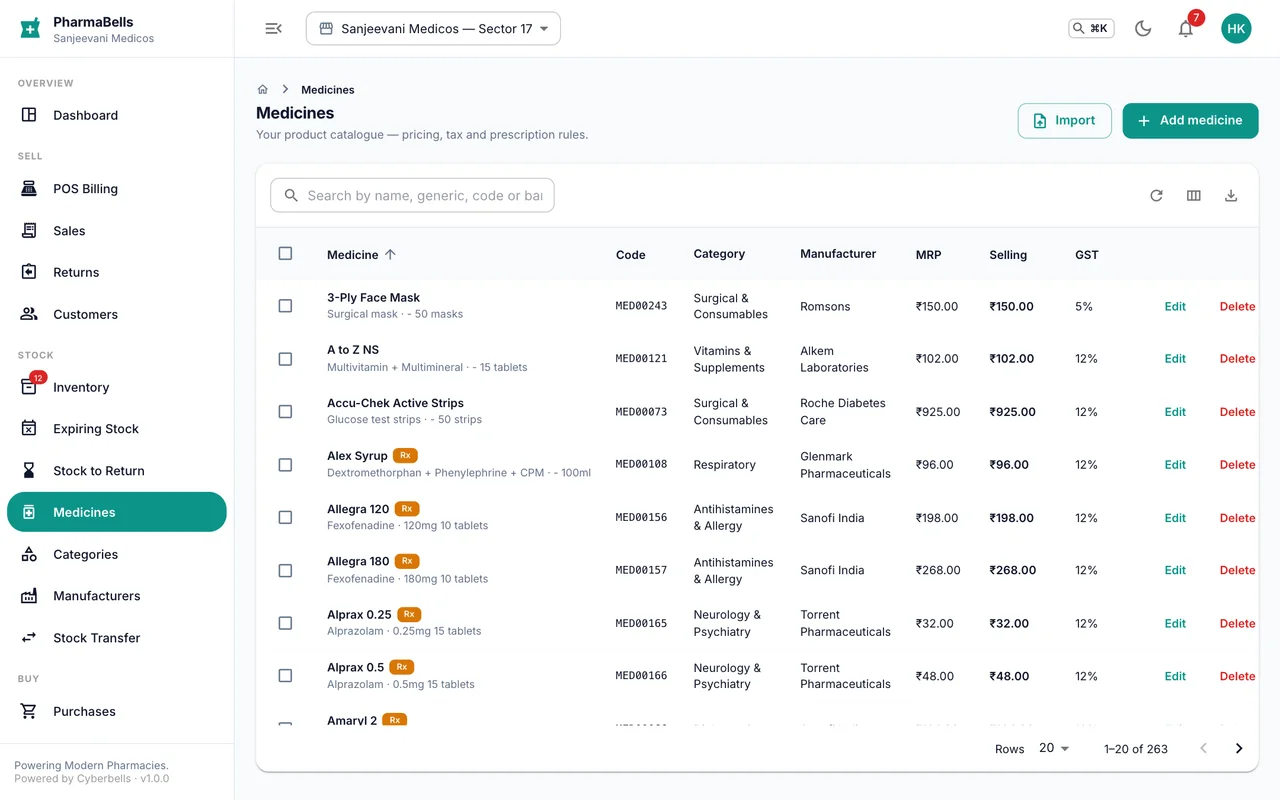
A medicine is the product you sell: brand, salt, strength, pack, MRP, GST rate and schedule. Stock lives in batches under it. Set the medicine up once; batches come and go with purchases.
Add one medicine
Medicines → Add medicine
| Field | Notes |
|---|---|
| Name | The brand as printed on the strip, with strength: Dolo 650 |
| Generic / composition | The salt(s), used for substitutes and the Schedule register |
| Category, manufacturer | Pick from your lists; add new ones inline |
| Type, pack size, units per pack | tablet, 15 tablets, 15 — the unit you sell is one strip |
| MRP, selling price, purchase price | Rupees. MRP is tax-inclusive; GST is extracted from it, never added |
| GST rate, HSN | 5%, 12% or 18% for most medicines; HSN prints on the invoice |
| Schedule | None, OTC, H, H1, X — decides the prescription rules at the counter |
| Barcode | Scan it into the field; the counter and receiving use it |
| Reorder level | Below this quantity the item appears in low-stock lists |
Add from the catalogue
Medicines → Add from catalogue searches a master list of Indian brands with salt, pack and manufacturer already filled. Pick the entry, confirm your prices, save. The item is now yours to receive stock against.
Import a CSV
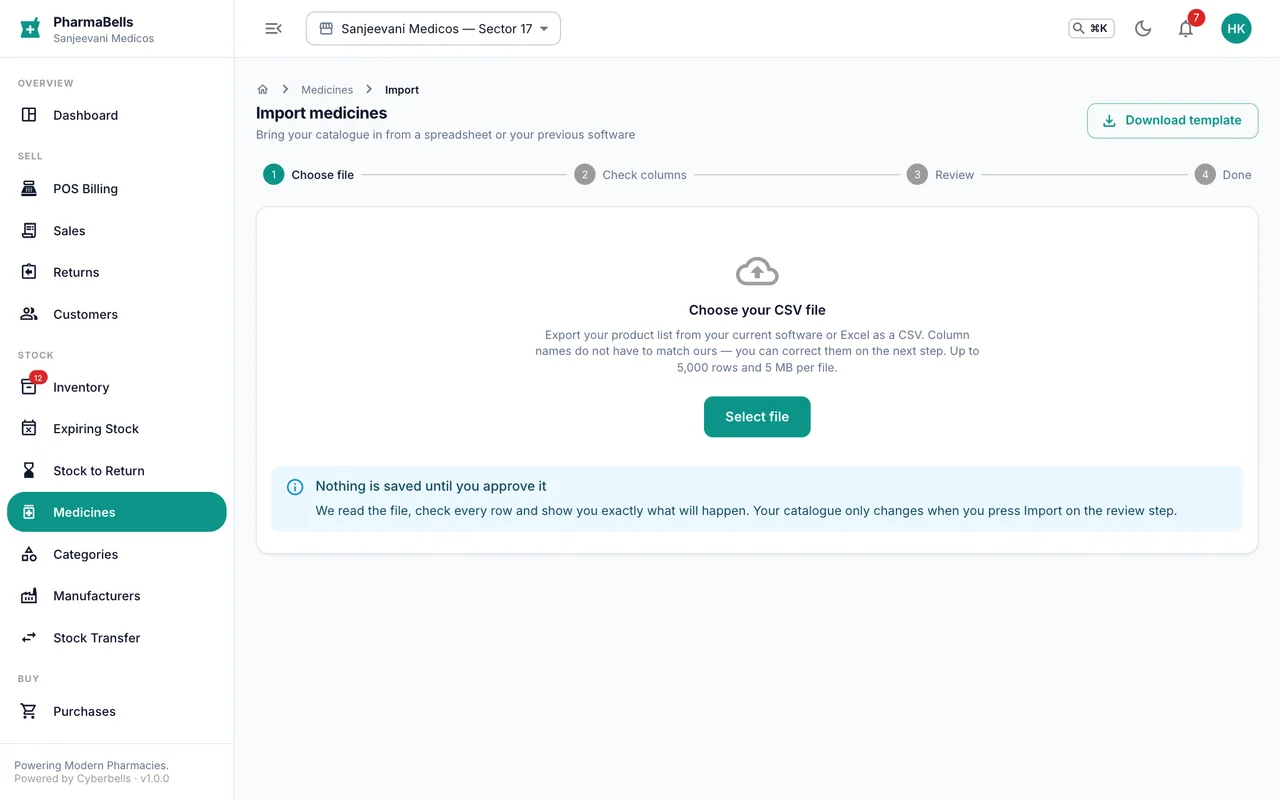
Medicines → Import takes a spreadsheet of your existing list. Download the template, fill it, upload, review the preview (errors are shown row by row), then confirm. Existing medicines are matched by name and pack and updated rather than duplicated.
Categories and manufacturers
Categories group medicines for browsing and reports (Analgesics, Antibiotics, Vitamins). Manufacturers are the companies on the strip. Both have their own pages; keep the names consistent because reports group by them.
Common mistakes
- Entering the MRP as the selling price plus GST. MRP already includes GST. Enter what is printed on the pack.
- One medicine for two pack sizes.
Dolo 650 — 15 tabletsandDolo 650 — 10 tabletsare two medicines with two barcodes. - Leaving the schedule as None for a Schedule H item. The counter will then not ask for the doctor, and the Schedule register misses it.
Still stuck? akhil.cyberbells@gmail.com