Stock
Suppliers, purchase orders and receiving deliveries
Set up suppliers, raise a purchase order, receive the delivery batch by batch on the web or the phone, and record supplier payments.
Stock enters the pharmacy through purchases. Doing it properly means every batch has a cost, an expiry and a supplier invoice behind it.
Suppliers
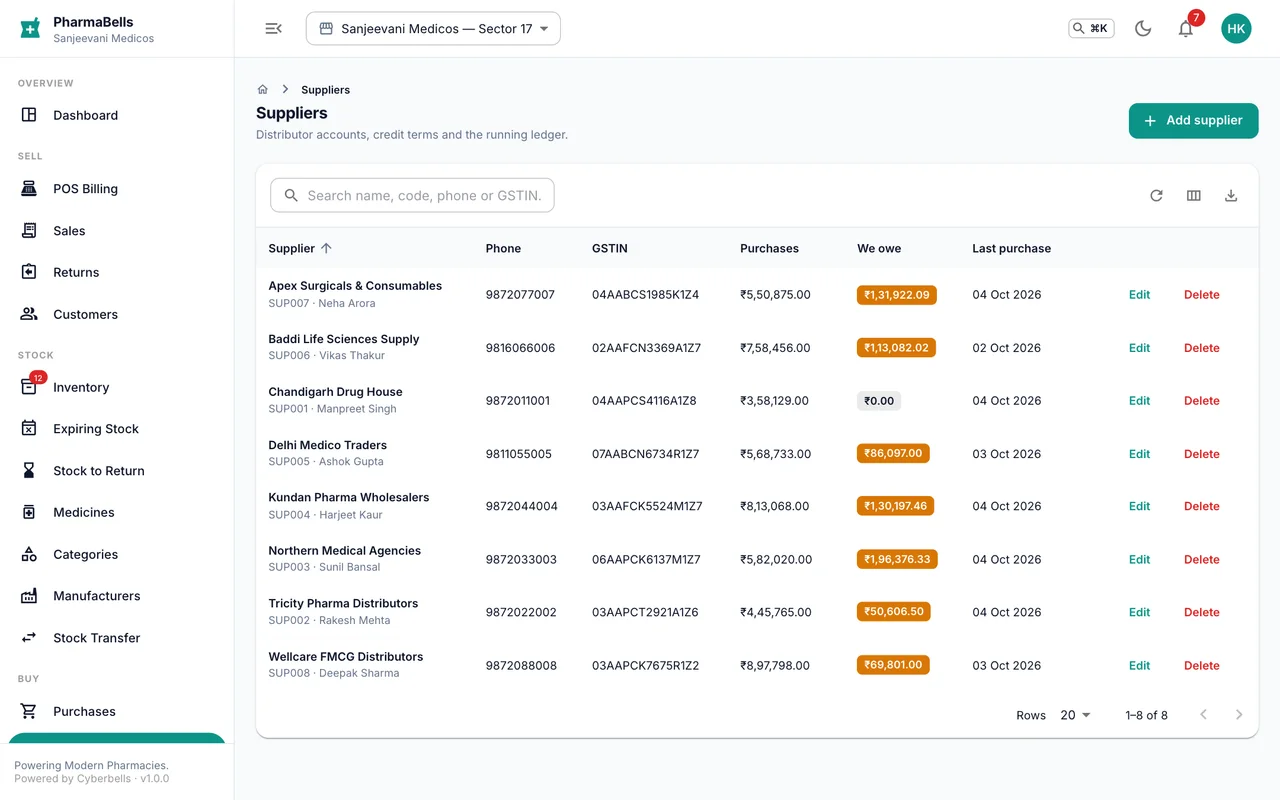
Suppliers holds each distributor: contact, GSTIN, drug licence, credit period and return window. Dues and the last purchase show on the list.
Raise a purchase order (web)
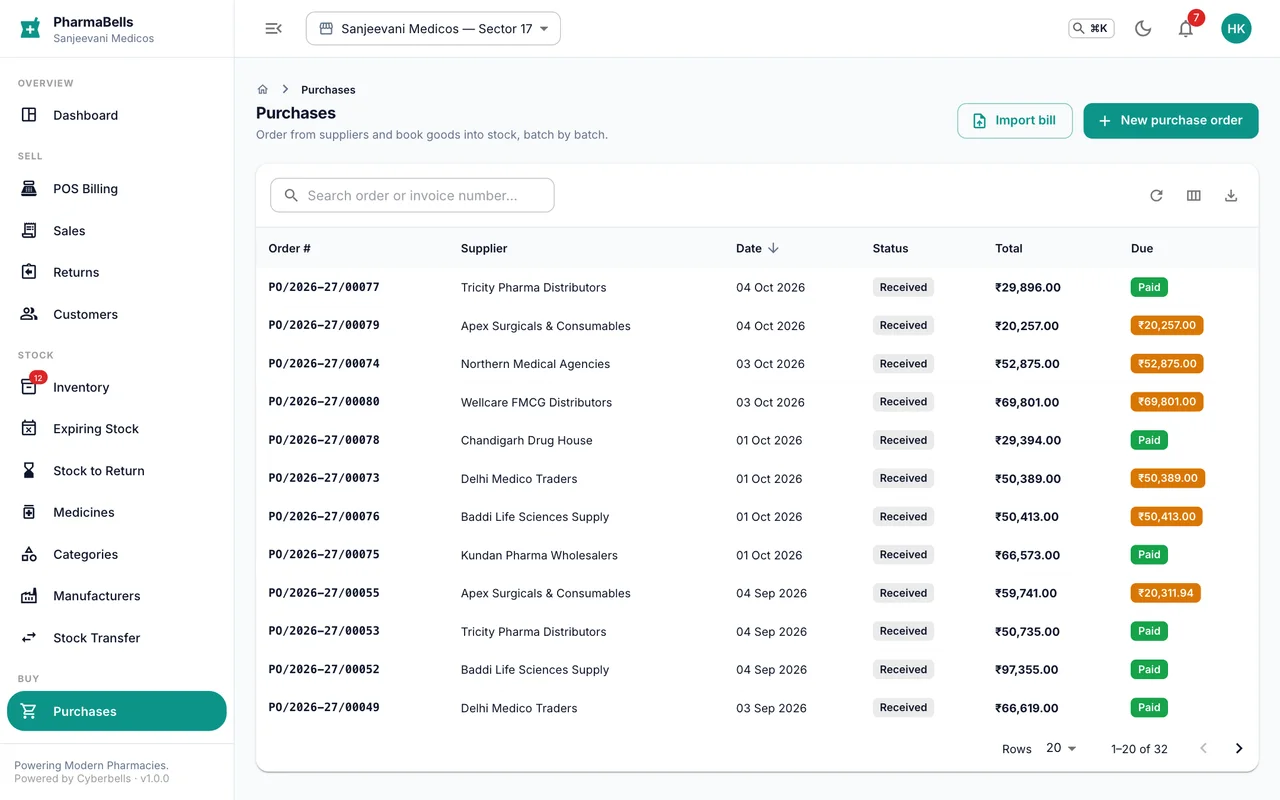
- Purchases → New purchase order, pick the supplier.
- Add items with the ordered quantity, purchase price (before GST), MRP and any free quantity or discount.
- Save. The order can be sent to the supplier as a PDF. A manager approves it if your roles ask for approval.
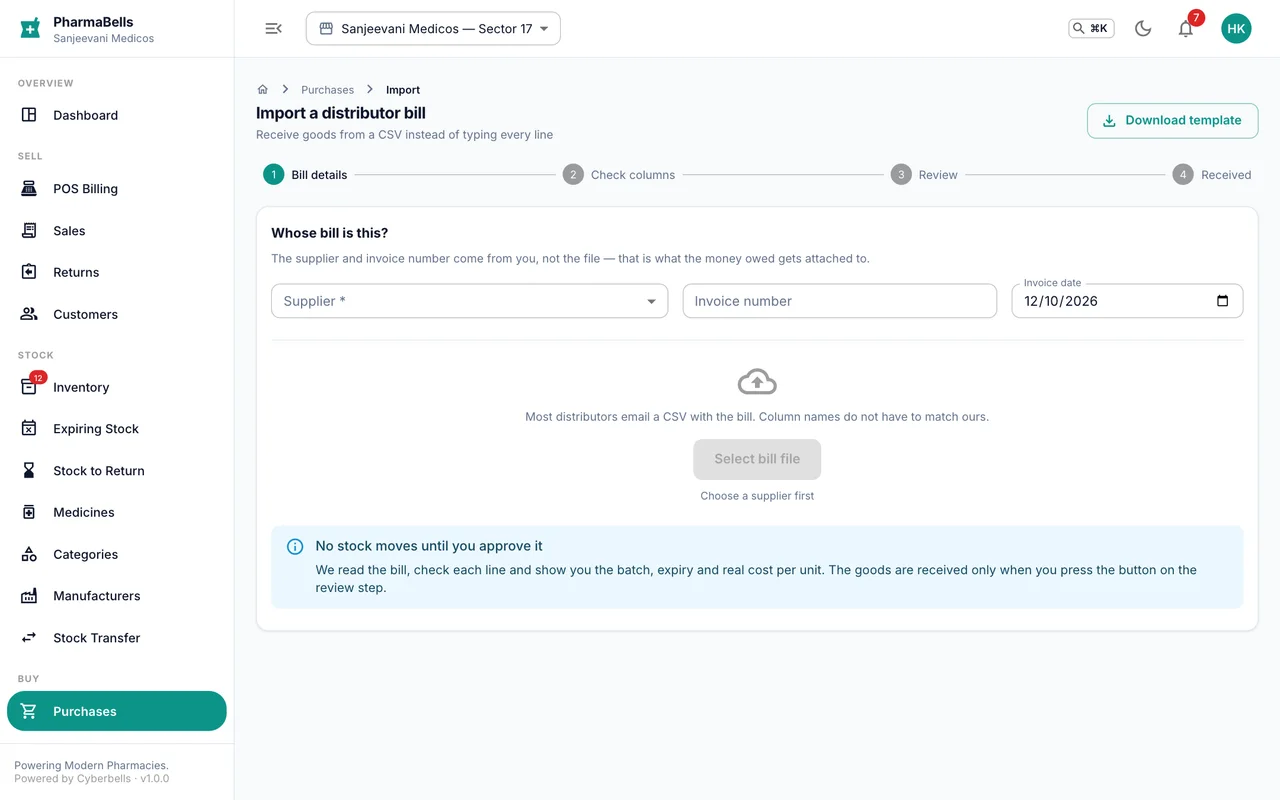
Orders can also be imported from a CSV the distributor sends: Purchases → Import, upload, review the matched items, confirm.
Receive the delivery (web or phone)
Open the order and choose Receive. For every line:
- Quantity received (partial deliveries are fine; the rest stays open).
- Batch number as printed on the carton.
- Expiry as MM/YYYY; the system stores the last day of that month.
- MRP if it differs from the order.
- Enter the supplier invoice number and confirm.
Stock goes up, batches are created, and the stock ledger records the receipt. On the phone this is More → Purchases → open the order → Receive delivery; the sheet asks for the same four things per line.
Pay the supplier
Purchases → open the order → Record payment: amount, method (bank transfer, cheque, UPI, cash), reference. Partial payments are fine; the balance shows as Due with the due date from the supplier's credit period.
Common mistakes
- Receiving with the expiry typed as DD/MM/YYYY. Only month and year are needed; the day is ignored.
- Entering the purchase price with GST included. Purchase price is before tax; GST is added at the rate on the medicine.
- Receiving the whole order when half the cartons came. Receive what arrived; the remainder stays on the order.
Still stuck? akhil.cyberbells@gmail.com