At the counter
Hold, resume and cancel a bill
Park a bill while the customer fetches money, pick it up again, and what cancelling does to stock.
Hold a bill
A customer forgot their wallet in the car; the next person is waiting. Choose Hold bill (top-right on the web, in the payment sheet on the app). The bill is parked with its items, customer and prescription details, and the screen clears.
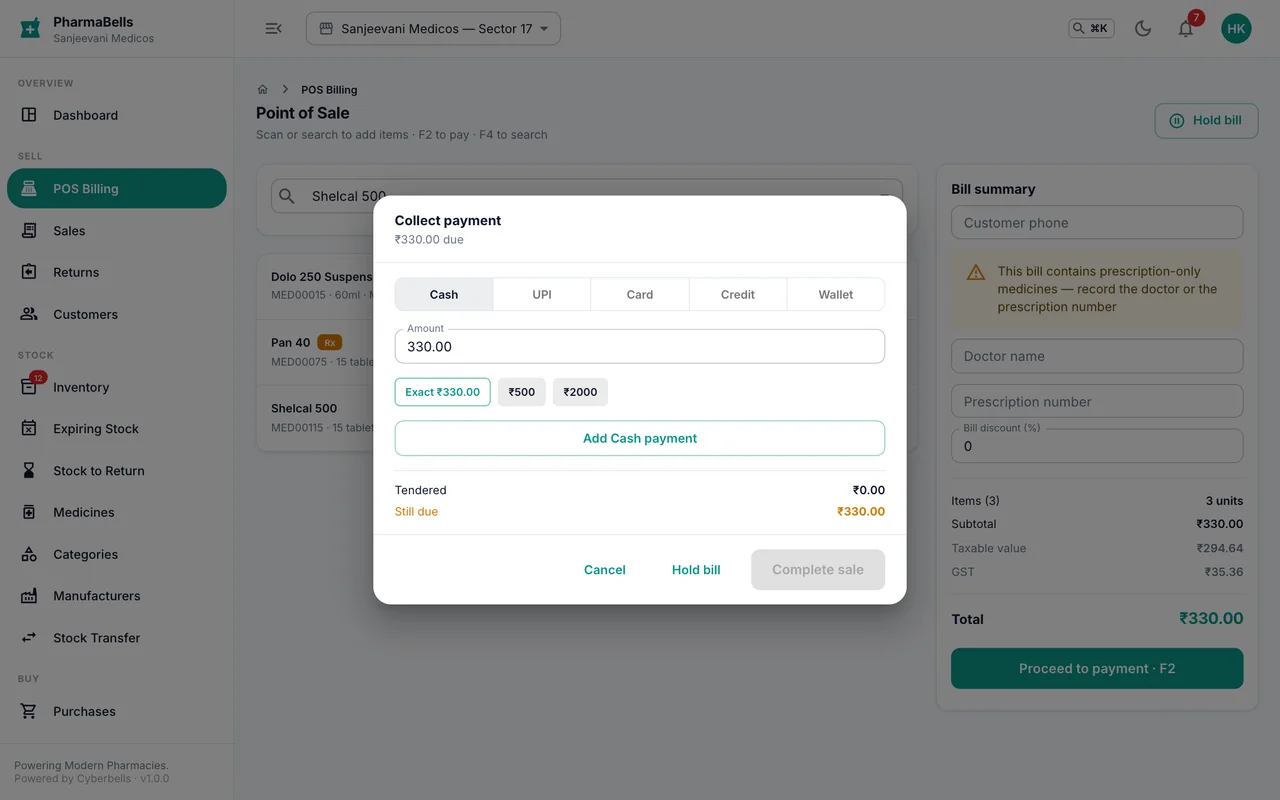
Held bills do not touch stock and do not get an invoice number until they are completed.
Resume
Choose Held bills on the POS screen. Pick the bill; its lines come back onto the screen. Add or remove items as needed, then take payment as usual. A held bill that is never resumed is removed after 24 hours.
Cancel a completed bill
Only a store manager or administrator can cancel. Sales → open the invoice → Cancel, with a reason. Stock returns to the batches it came from and the invoice is marked cancelled; the number stays in the register (GST does not allow gaps) and the cancellation is recorded in the audit log.
If the customer simply wants some items back, use a return instead of cancelling the whole bill.
Common mistakes
- Holding a bill instead of completing it when the customer has paid. A held bill is not a sale; it does not reduce stock or appear in reports.
- Cancelling to fix a wrong price. Cancel, then re-bill; do not edit the printed copy.
Still stuck? akhil.cyberbells@gmail.com