At the counter
Returns and refunds
Take items back against an invoice, refund in cash or as a credit note, and what happens to stock.
A return is always made against the original invoice, so the amount, the batch and the tax are taken from what was actually sold. You never type a price for a return.
Take items back
- Find the invoice under Sales (web) or More → Sales (app) and open it.
- Choose Return items.
- Set the quantity to return on each line. You cannot return more than was sold, and the return must be within the store's return window (Settings → Defaults, usually 7 days).
- Enter the reason and choose how to refund: Cash, UPI, Wallet (the amount stays with the customer for the next purchase) or Credit note for a credit customer.
- Confirm. A return number is created and a refund payment is recorded.
What happens to stock
Returned quantity goes back into the exact batch it was sold from, so expiry tracking stays correct. Items that cannot be resold (opened bottles, cold-chain products) are marked not restockable by the pharmacist and written off instead of returning to stock.
The register
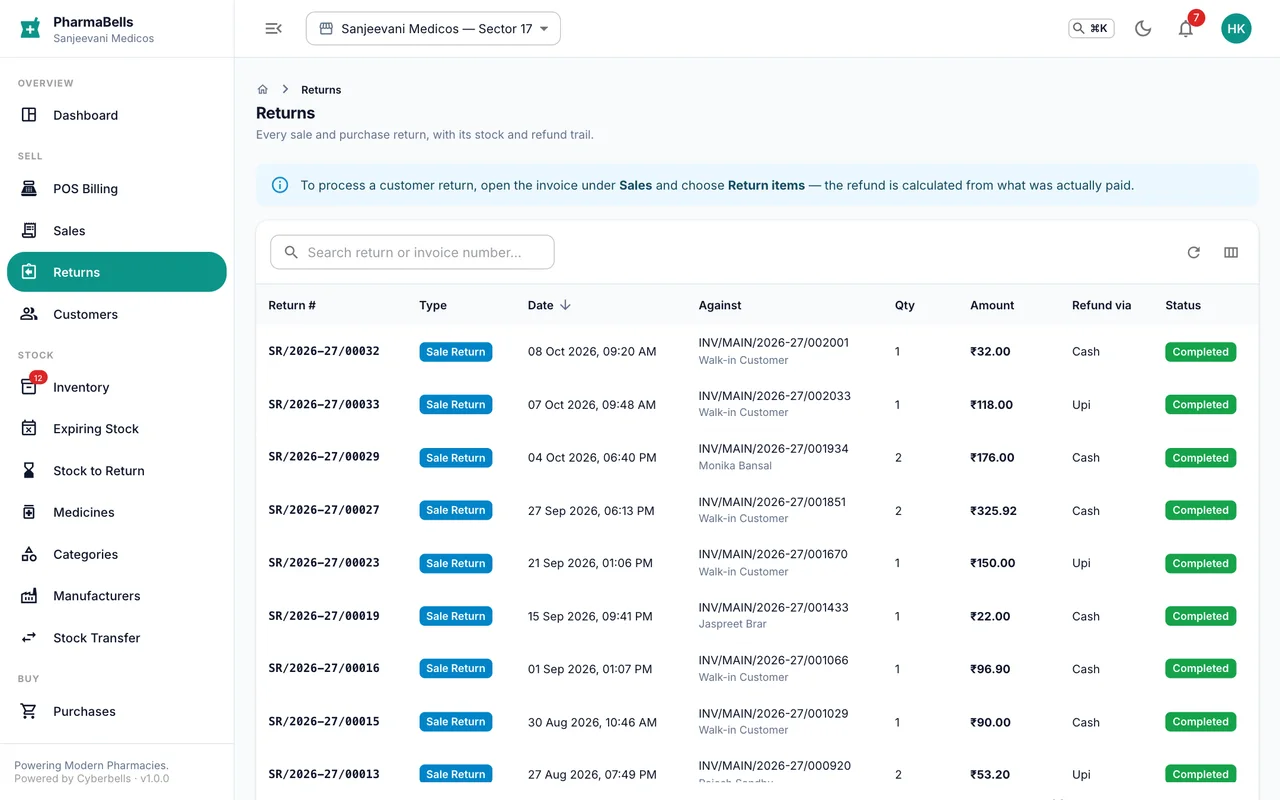
Returns lists every return with the original invoice, amount, refund method and status. Store managers approve returns raised by cashiers if the role settings ask for approval.
Common mistakes
- Returning without the invoice. The counter cannot take back an item that is not on a bill. Find the bill by the customer's phone number.
- Refunding cash for a credit sale. The customer never paid cash; issue a credit note so the due amount comes down instead.
- Exchanging silently. Make the return, then bill the replacement. Two records, one audit trail.
Still stuck? akhil.cyberbells@gmail.com