Customers & money
Reports and GST
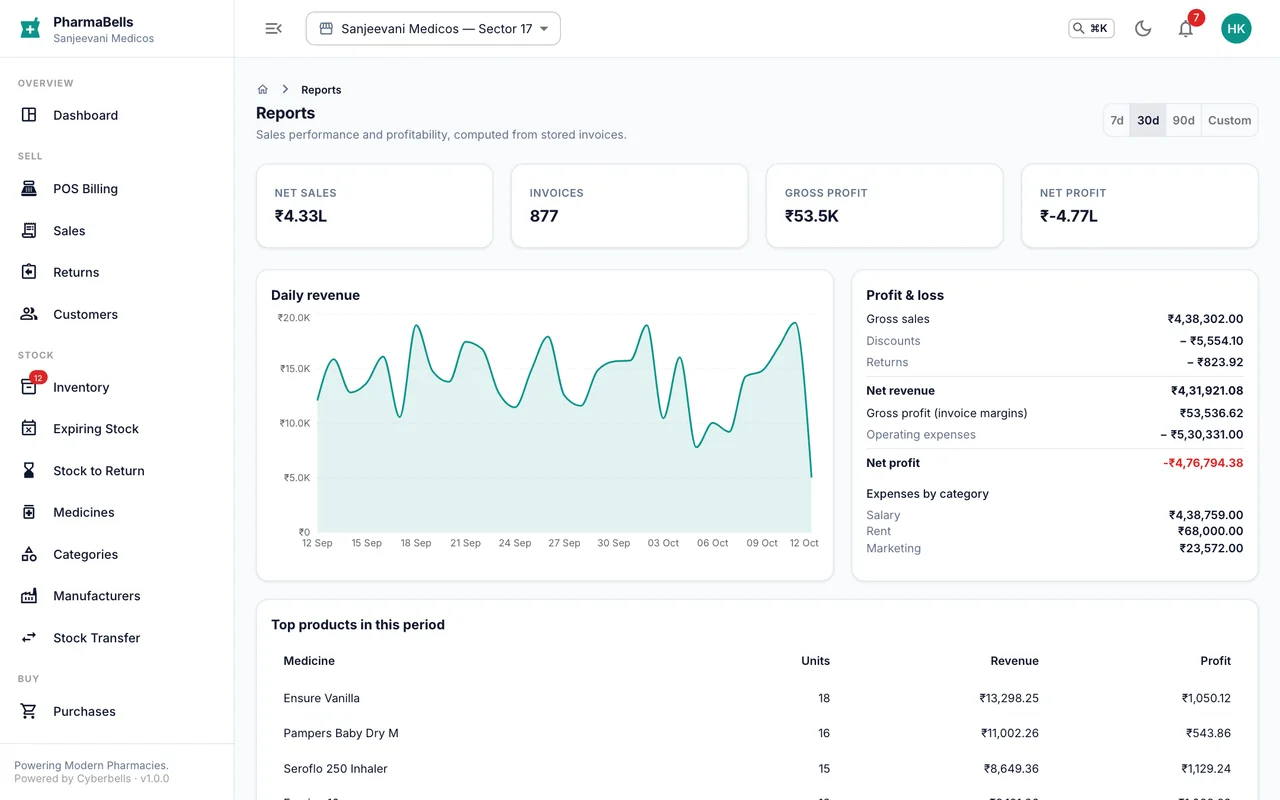
Sales, profit, top products, payment methods, the GST summary for filing, the Schedule H1/X register, and exporting to Excel.
Every report runs on the data the counter and the stockroom entered; nothing is typed in separately. Pick a date range (today, this week, this month, this financial year, or custom) and a store.
Sales report
Invoice count, gross and net sales, discount given, tax collected, average bill, profit and margin. Below it: the daily trend, payment methods (how much cash is in the drawer versus UPI), top products by quantity and by profit, and sales by cashier.
Profit and loss
Sales minus cost of goods minus expenses, by month. Cost of goods comes from the actual batch purchase price of each item sold, so the figure is real, not estimated.
Stock and expiry
Stock value by category and store, dead stock (not sold in 60 days), and expiry loss written off.
GST
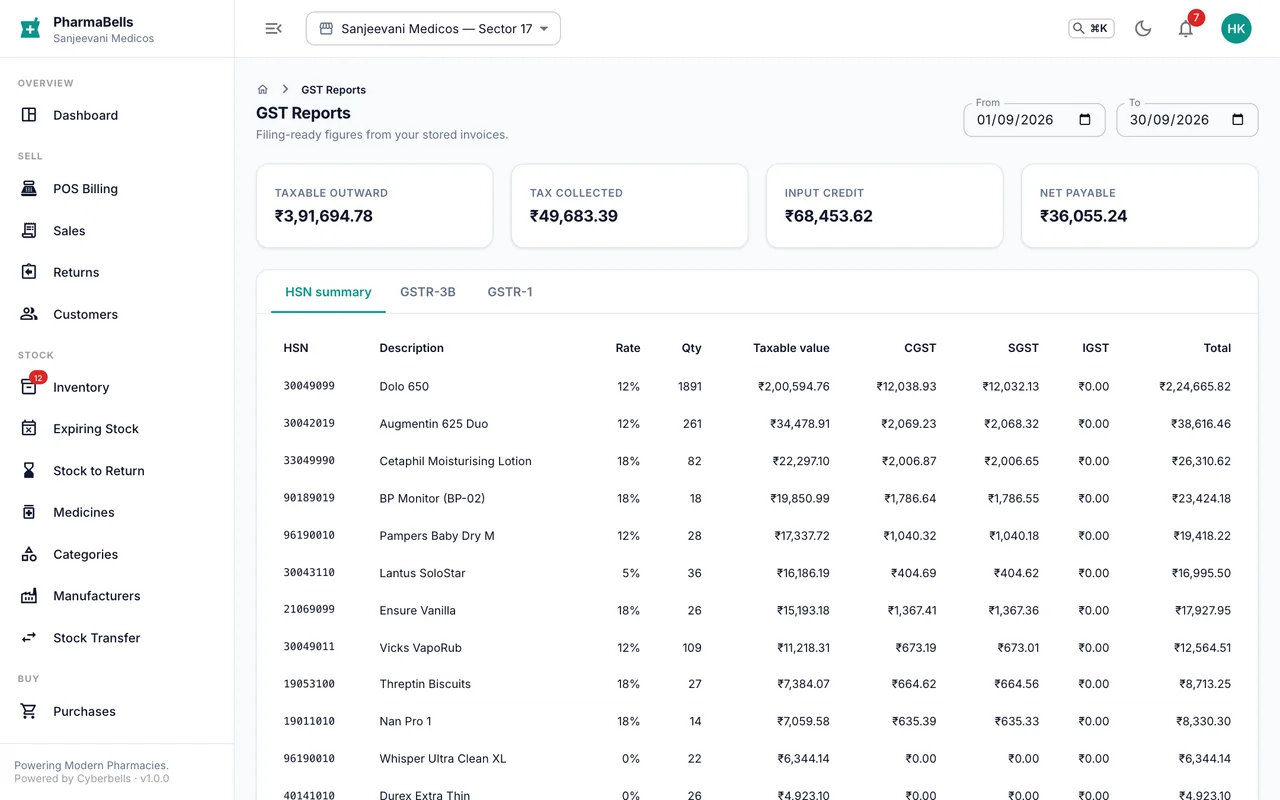
GST shows, for any period, taxable value and tax by rate (5%, 12%, 18%) and by CGST/SGST/IGST, for outward supplies (your sales) and inward (your purchases). These are the figures your accountant needs for GSTR-1 and GSTR-3B. Export to Excel from the button at the top.
Schedule H1/X register
Under Reports, the Schedule register lists every H1 and X sale with patient, doctor, prescription number, medicine, batch and quantity, exactly the columns Rule 65 asks a pharmacy to keep. Download it as CSV for the Drugs Inspector.
Export
Every table has Export for CSV or Excel. Large exports are rate-limited to a few per minute so the server stays fast for the counter.
On the phone
More → Reports shows the sales summary, the daily trend and the top products for the chosen period, for a quick look away from the desk.
Common mistakes
- Comparing the GST report with bank deposits. The report is by invoice date; deposits lag. Use the payment-method table for cash reconciliation.
- Running year-to-date reports on the phone on mobile data. Use the web for big ranges.
Still stuck? akhil.cyberbells@gmail.com