Customers & money
Customers, loyalty and credit
Customer profiles and purchase history, loyalty points, credit limits for regulars, doctors and institutions, and collecting dues.
A customer is anyone you want to recognise next time: regulars on chronic medicines, doctors, clinics and companies who buy on credit. Walk-ins need no record.
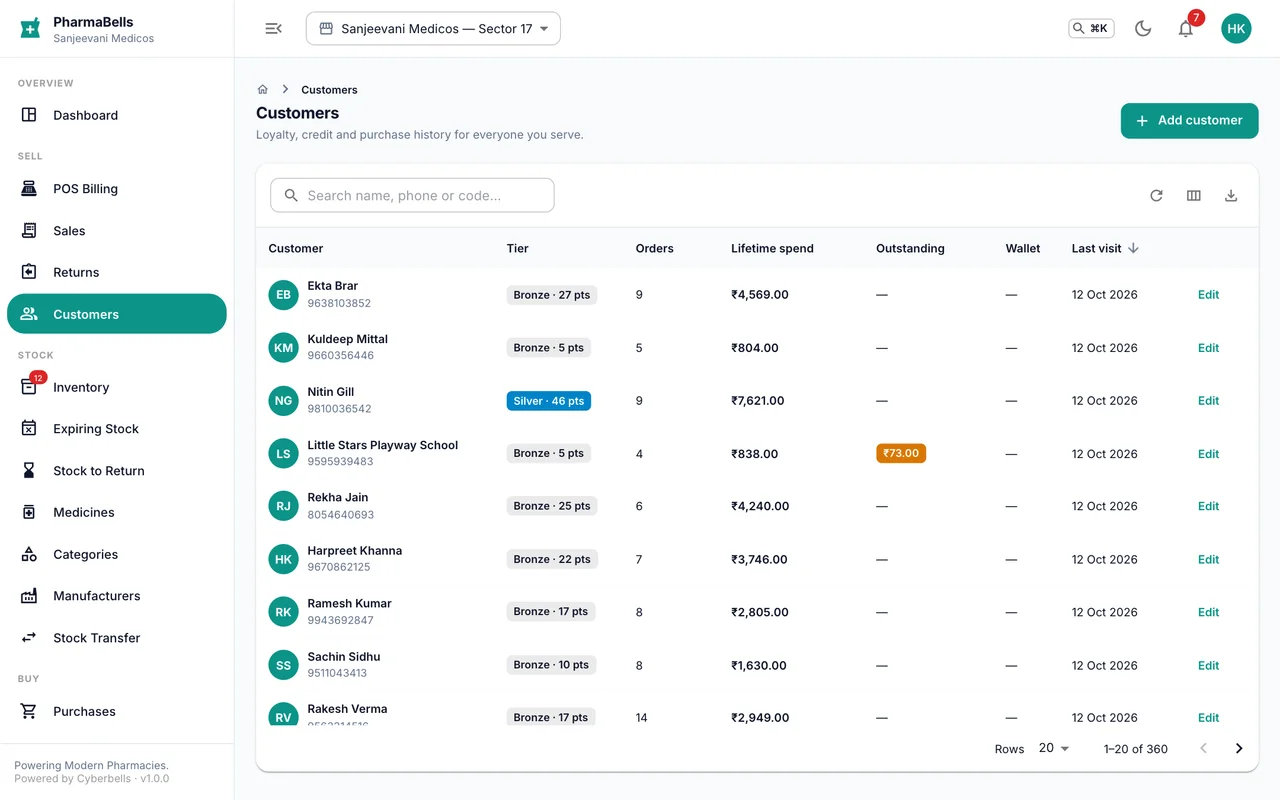
Create or update a customer
Most customers are created at the counter by typing their mobile number and ticking Save as a customer. The profile under Customers adds the rest: address, date of birth, blood group, allergies, chronic conditions, GSTIN for a business, and the type: regular, doctor, corporate or institution.
Purchase history
Open a customer to see every invoice, what they usually buy and when they last came. For chronic patients this is where a refill reminder starts: the last purchase date tells you when the next is due.
Loyalty
Points accrue on every bill at the rate in Settings → Defaults and are redeemed at the counter. The profile shows current and lifetime points and the tier (bronze, silver, gold, platinum) that reports use.
Credit (khata)
Set a credit limit and credit period on the profile. The counter then allows Credit as a payment method for that customer and refuses a bill that would cross the limit. The profile shows the outstanding amount and every open invoice.
To collect: Customers → open → Collect payment, or from the invoice itself. Part payments are fine; the ledger keeps each one.
On the phone
More → Customers has the same list and profiles. At the till, typing a phone number pulls up the customer with points, wallet and dues in one line.
Common mistakes
- Saving every walk-in. A list full of one-time numbers hides the regulars. Save people who will come back.
- Giving credit to a customer with no limit set. The counter refuses; set the limit first, deliberately.
- Letting institution dues run past the credit period. The Sales filter Payment status: pending with the customer's name is the collection list.
Still stuck? akhil.cyberbells@gmail.com