Stock
Stock transfers and adjustments
Move stock between your stores, and correct quantities after a count, breakage or expiry write-off.
Web consoleUpdated 12 October 2026
Transfer between stores
- Stock Transfer → New transfer: choose the from and to store.
- Add items; the batch is chosen for you (nearest expiry first) and shown so the receiving store knows what is coming.
- Dispatch. Stock leaves the sending store immediately and the transfer shows as in transit.
- At the receiving store, open the transfer and Receive, confirming quantities. The batches are created there with the same batch number and expiry.
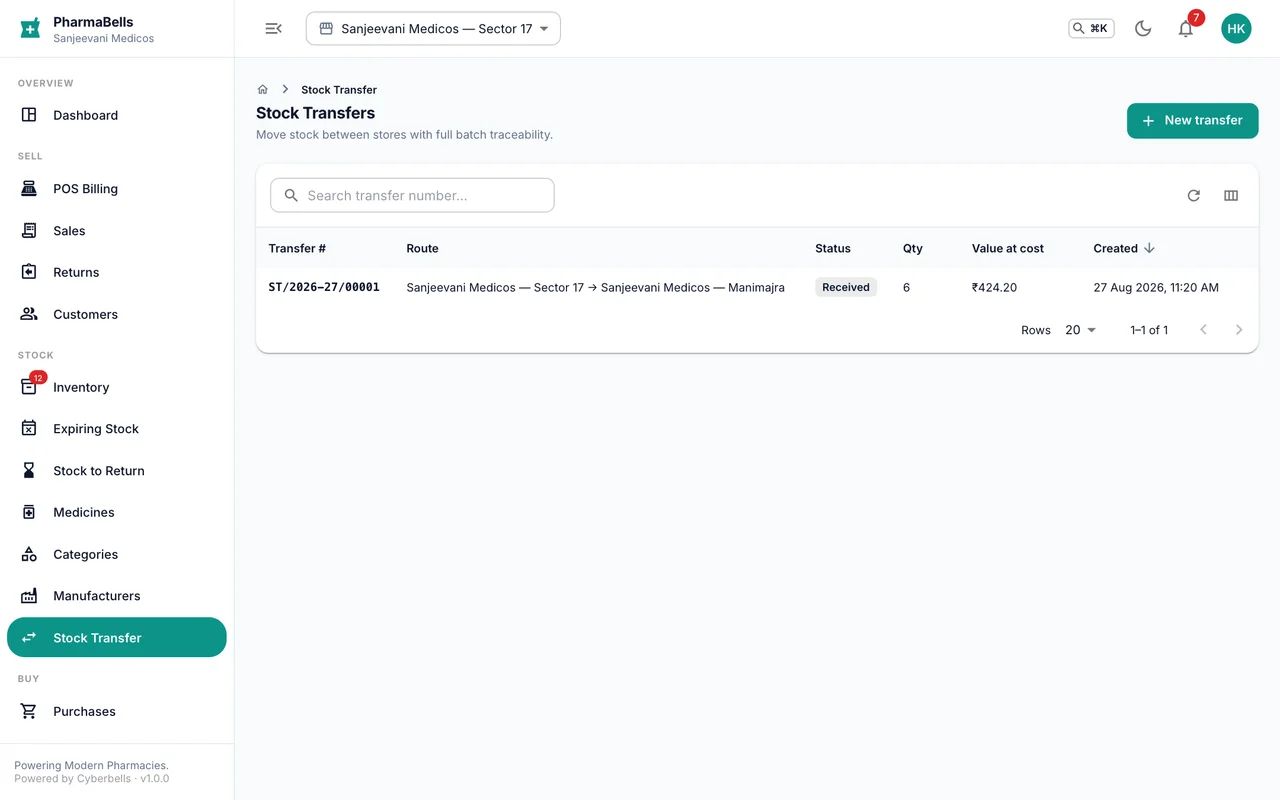
Transfers need the inventory manager or store manager role. An unbatched (negative-stock) quantity cannot be transferred until the purchase is received.
Adjust stock
Counts never match forever. Inventory → open the medicine → Adjust records the difference with a reason: stock audit, damaged, expired write-off, breakage at counter, found. The ledger keeps the before and after, who did it and when, so an auditor can follow every unit.
Expired batches are written off from Expiring Stock → Write off; the value appears in the expiry loss report.
Common mistakes
- Adjusting stock to hide a billing error. Cancel or return the bill instead; adjustments are for physical differences only.
- Dispatching a transfer and forgetting to receive it. The stock sits in transit and both stores show it as unavailable. Receive the same day.
Still stuck? akhil.cyberbells@gmail.com