Your account
Plans, subscription and invoices
What the trial includes, how to subscribe, what happens at renewal, and where your tax invoices are.
Trial
Every new pharmacy starts on a 14-day trial of the full product. No card is taken. Three days before it ends you are reminded by email and in the app.
Subscribe
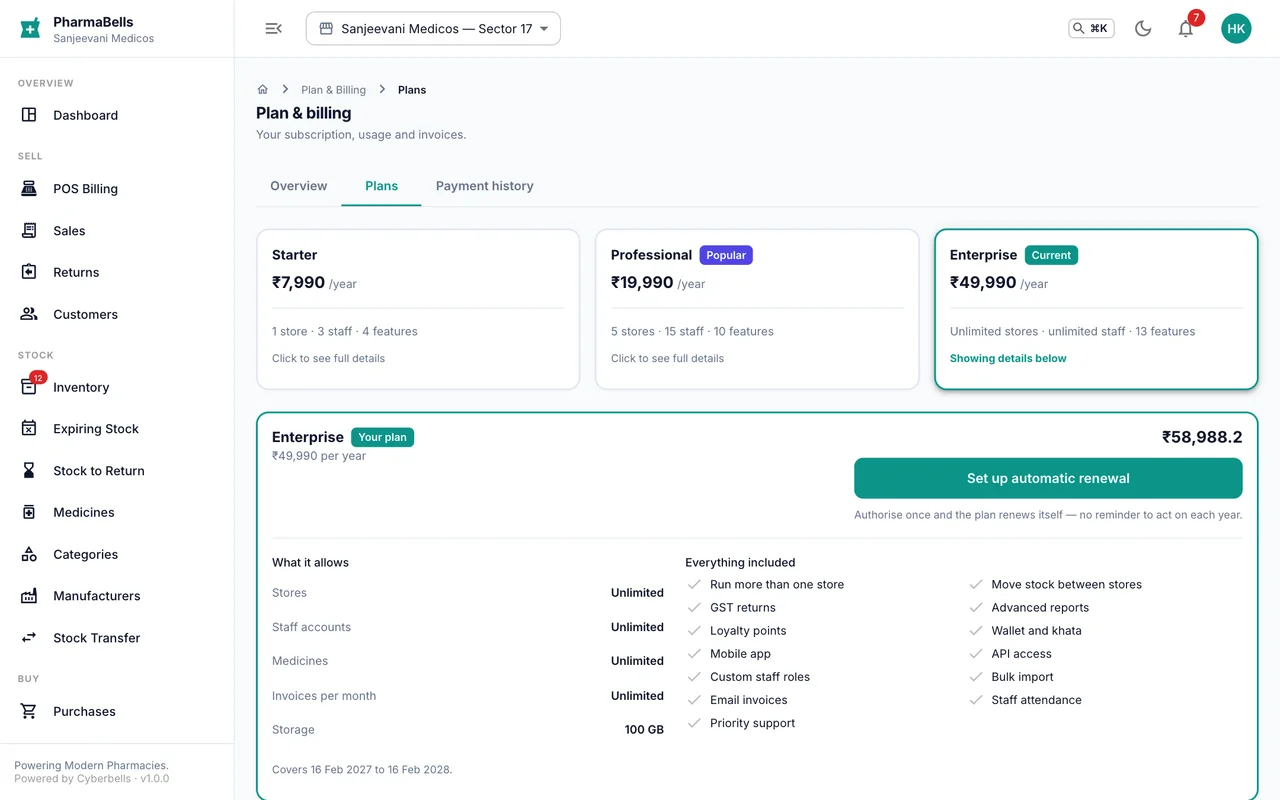
Billing → Plans compares Starter, Professional and Enterprise: stores, users, medicines, and features such as email invoices, multi-store transfers and priority support. Choose a plan, pay by UPI, card or net banking through Razorpay, and the plan is active immediately.
Renewal
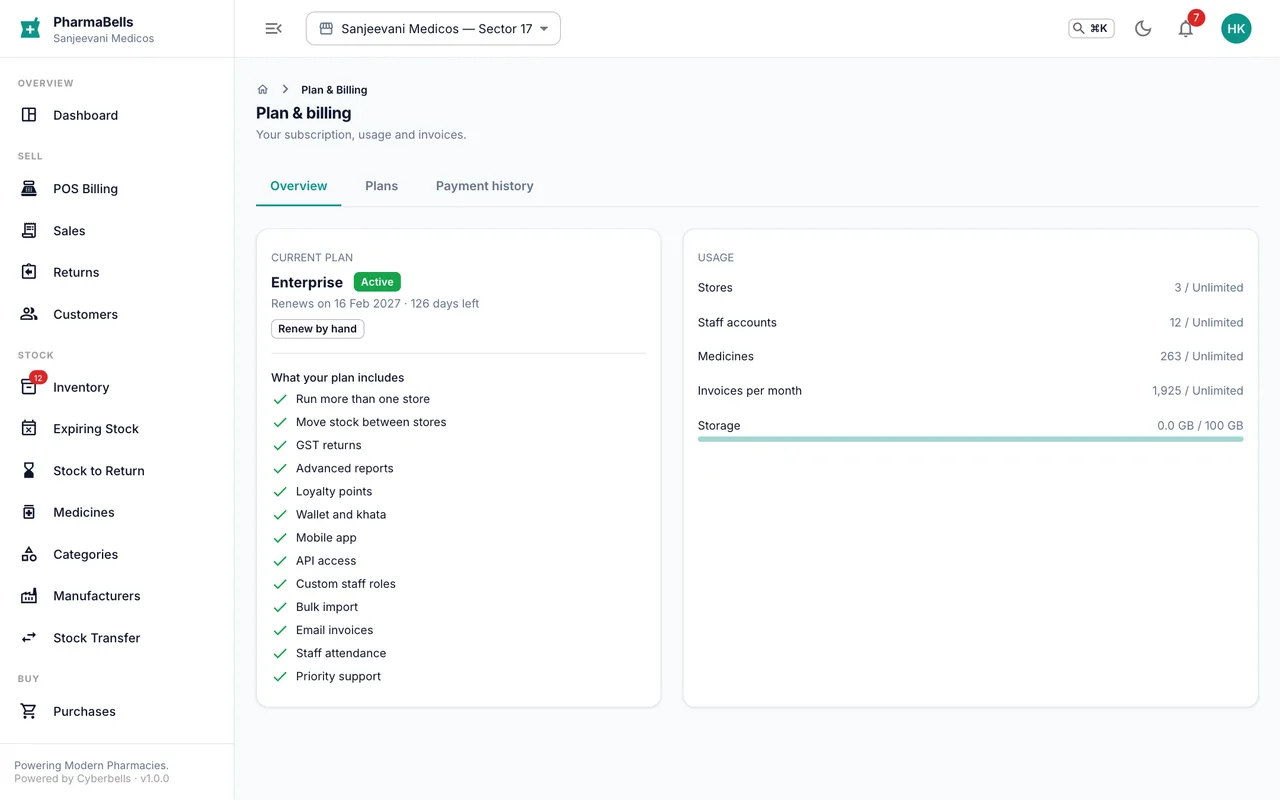
Plans are yearly. Auto-renewal is on by default and can be switched off under Billing; the plan then runs to the end of the paid period. A failed payment gives a 7-day grace period before the account becomes read-only.
Read-only
When a subscription ends, you can still sign in, read everything and export your data for 90 days, but billing and stock changes are paused until you renew.
Invoices
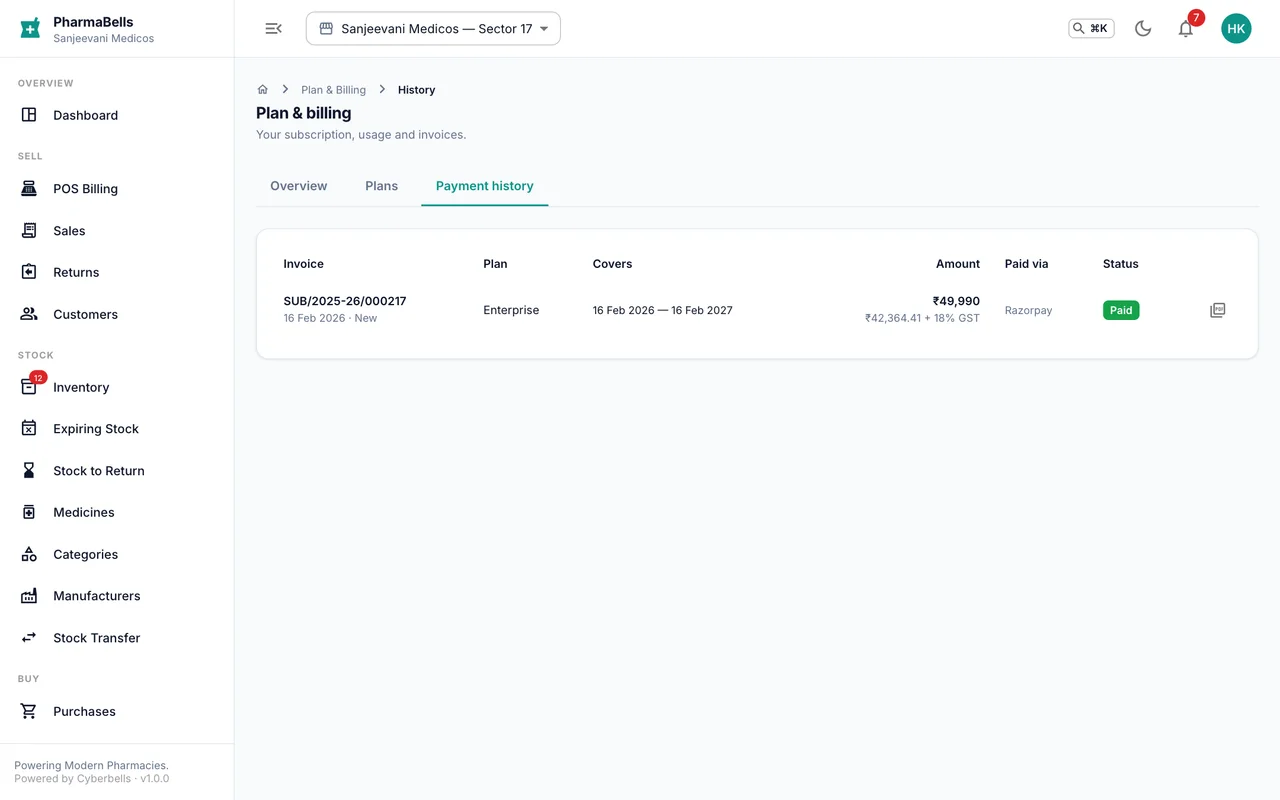
Billing → History lists every payment with a downloadable GST tax invoice from Cyberbells ITES Services Pvt Ltd, showing CGST/SGST or IGST by your state. Refund rules are on the website's refund policy.
Common mistakes
- Buying one plan per store. One subscription covers the whole pharmacy; store count is a plan limit.
- Waiting for the read-only banner to renew. Renew from Billing a week before expiry to avoid an interruption at the counter.
Still stuck? akhil.cyberbells@gmail.com