At the counter
Take payments
Cash, UPI, card, split payments, credit on a customer's account, wallet, and giving change.
Proceed to payment opens the collection dialog. The amount due is at the top; nothing is final until you choose Complete sale.
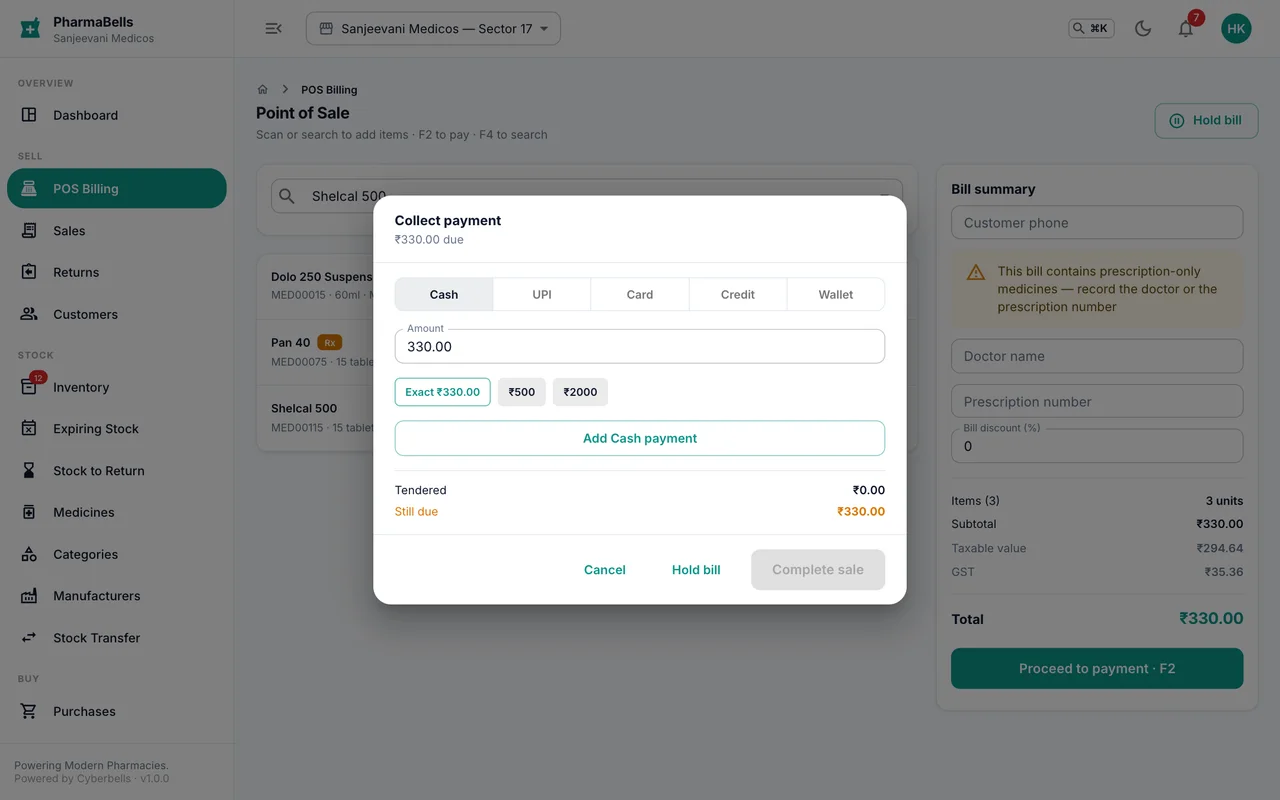
One payment, the usual case
- Pick the method: Cash, UPI, Card, Credit or Wallet.
- For cash, tap Exact or a note (₹500, ₹2000); for UPI or card, the amount is pre-filled and you may add the reference number.
- Complete sale. The invoice is created and the bill screen clears for the next customer.
Change
Enter what the customer handed over. Change to return shows the difference. Change is only calculated for cash; a card or UPI payment larger than the bill is refused.
Split payments
A customer pays ₹500 cash and the rest by UPI:
- Choose Cash, enter 500, Add cash payment.
- Choose UPI; the remaining amount is filled in; Add UPI payment.
- When Still due reaches zero, Complete sale.
Up to five tenders can go on one bill.
Credit (khata)
Credit needs a saved customer on the bill with a credit limit set on their profile. Choose Credit and complete the sale; the amount goes onto their account and shows as Due on the invoice and under Customers. A sale that would exceed the limit is refused. Collect it later from the customer's page or the Sales list with Collect payment.
Wallet and loyalty
A customer's wallet balance (from credit notes or top-ups) can pay a bill in full or in part. Loyalty points are redeemed from the summary panel before payment, at the point value set in Settings → Defaults.
On the phone
The same methods appear as a sheet at the bottom of the screen. Quick cash buttons are larger and split tenders stack as a list. The sheet keeps the keyboard off the fields on iPhone and Android.
Common mistakes
- Choosing Credit for a walk-in. Credit is refused without a saved customer; add their number first.
- Typing the UPI amount wrong. The amount is pre-filled with what is due; only change it for a split.
- Pressing Complete sale twice on a slow connection. The second press is ignored; the sale is recorded once. If the screen does not clear within a few seconds, check Sales before billing again.
Still stuck? akhil.cyberbells@gmail.com