At the counter
Print, share and email an invoice
Open any bill, print or download the GST tax invoice, send it on WhatsApp with a link, or email it to the customer.
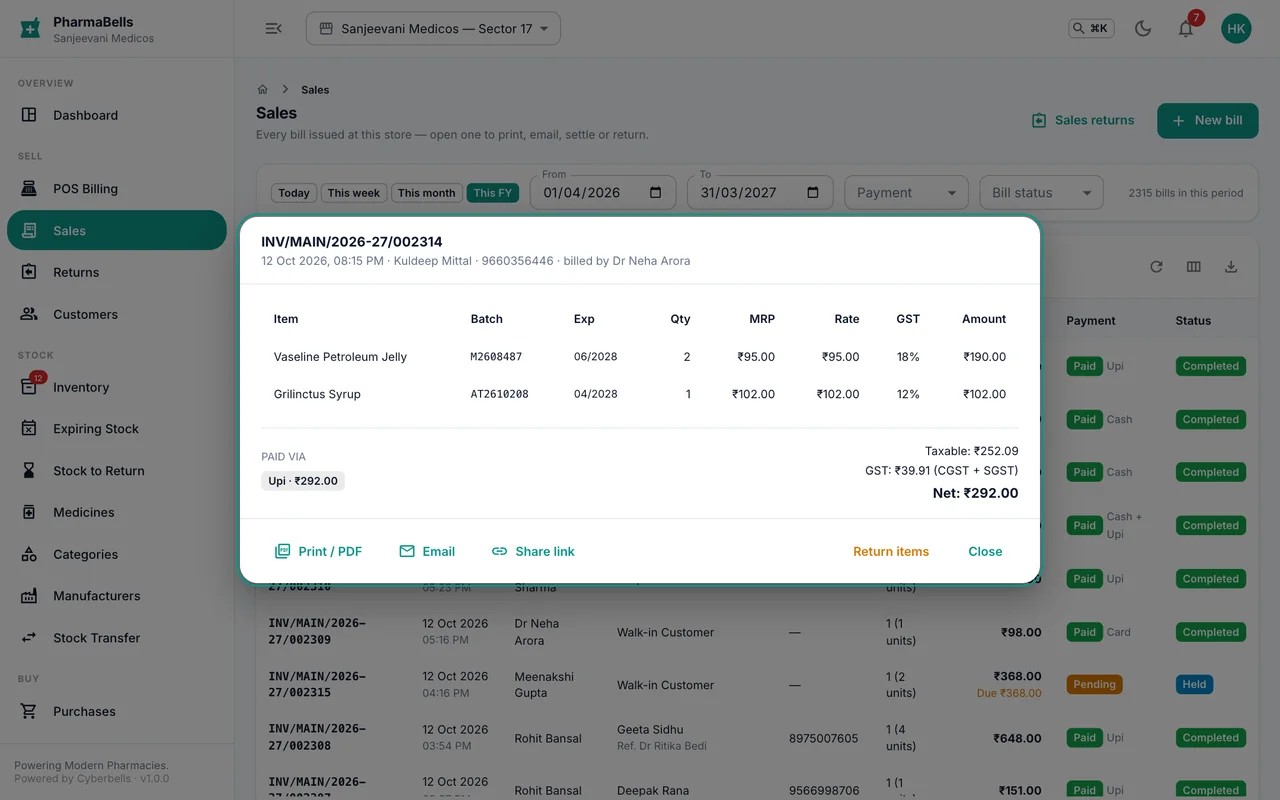
Every completed sale is a tax invoice with your logo, licence numbers, GSTIN, batch and expiry for each line, the GST breakup and the authorised signature. You never make the invoice; it is there the moment the sale completes.
Find the bill
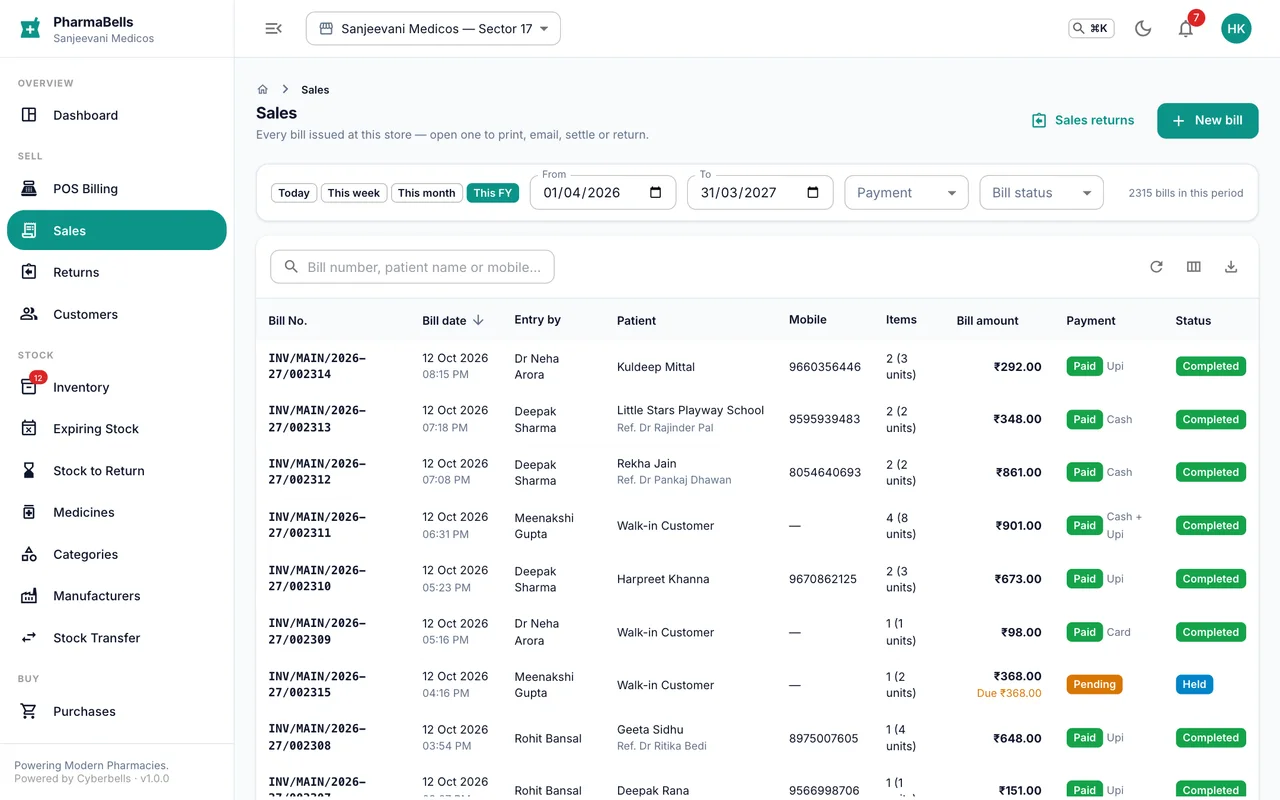
Sales lists every invoice, newest first, with the customer, amount and payment state. Search by invoice number, customer name or phone; filter by date, store, cashier or payment status. Open a row to see the full bill.
Print or download
Print / PDF opens the A4 invoice. Print it, or save the PDF. Thermal printers: print from the browser with the 80 mm page size set in your printer dialog.
Share on WhatsApp
Share link copies a link that opens the PDF without signing in. Paste it into WhatsApp. The link works for three days and only for that one invoice; it cannot be used to reach anything else in your account. In the app, Share opens the phone's share sheet with the same link.
Email sends the PDF to the customer's saved email. If the customer has none, you are asked for an address to use for this invoice only. Email is available on the Professional and Enterprise plans and needs the pharmacy's email sending set up.
Collect an outstanding amount
For a credit bill, Collect payment on the invoice records the money against it and reduces the customer's dues.
Common mistakes
- Reprinting an old invoice and handing it over as a new sale. The date and number are the original's; make a fresh bill.
- Sharing the invoice link in a public group. Anyone with the link can open that invoice for three days; send it to the customer directly.
Still stuck? akhil.cyberbells@gmail.com