At the counter
Bill a customer
Search or scan, add items, set quantity and discount, attach the customer and the prescription details the law asks for.
This is the screen a cashier lives on. On the web it is POS Billing; in the app it is the POS tab. They work the same way.
Add items
- Click the search box (web shortcut F4) or scan a barcode. Type part of the brand name, salt, or code:
dolo,paracet,MED00115all work. - Pick the item from the list. The list shows price and how many are left in this store. Items marked Not stocked here are catalogue entries you have not added to your pharmacy yet.
- The item lands on the bill with quantity 1. Change the quantity with the + / − buttons or by typing. Scanning the same barcode again adds one more.
- To give a discount on one line, open the line and enter a percentage or an amount. For a discount on the whole bill use Bill discount in the summary panel.
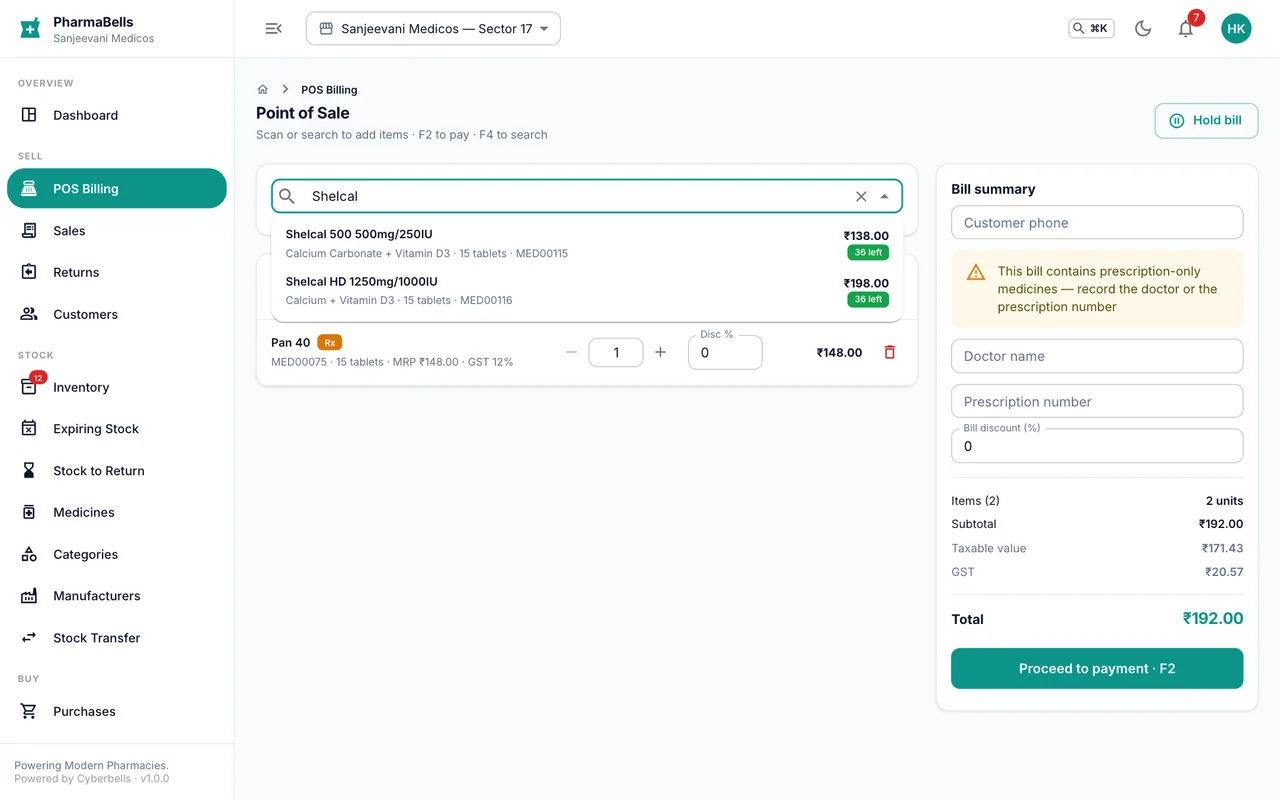
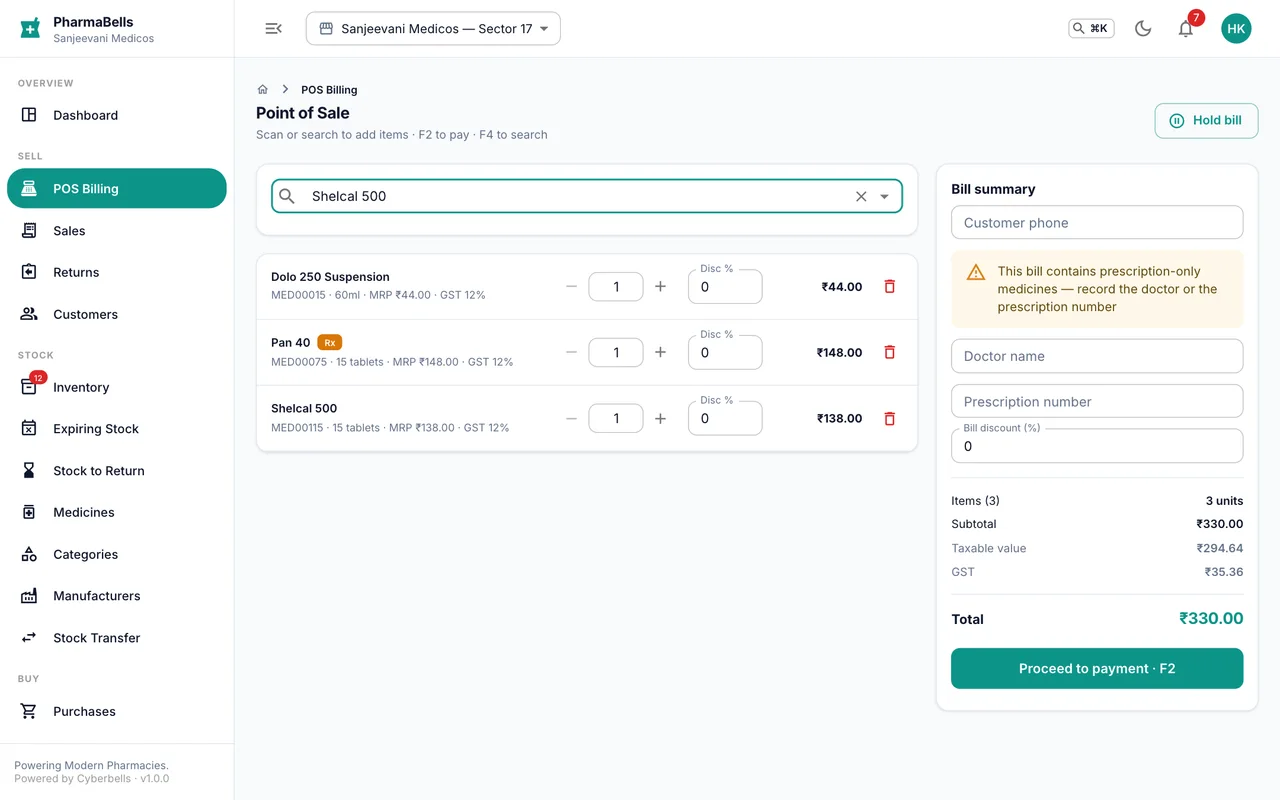
Stock is allocated first-expiry-first-out automatically: the batch nearest to expiry is sold first, and the batch number and expiry print on the invoice.
Attach the customer
Type the customer's mobile number in the summary panel. A known customer appears with their loyalty points, wallet balance and any amount they owe. A new number can be saved as a customer with one tick; most walk-ins are not saved, and that is fine.
Prescription details
Some medicines need a record of who prescribed them:
| Medicine schedule | What the bill must carry |
|---|---|
| H (most prescription medicines) | Doctor name or prescription number |
| H1 and X (narcotics, habit-forming) | Patient name, doctor name and prescription number, all three |
The counter tells you when a line needs these and will not complete the bill without them. H1 and X sales go into the Schedule register under Reports, which the Drugs Inspector may ask for.
Finish
Choose Proceed to payment (web shortcut F2) and take the payment: see Take payments.
Common mistakes
- Searching with the strength first. Type the name, then pick the strength from the list.
- Billing a different store's stock. Check the store name in the top bar before the first bill of the day.
- Discounting below cost to close a sale. The margin report shows it; the owner will ask.
Still stuck? akhil.cyberbells@gmail.com